New Delaunay Low-Poly Style & Real-Time Region Merging
New
🔺 New Delaunay Low-Poly Style
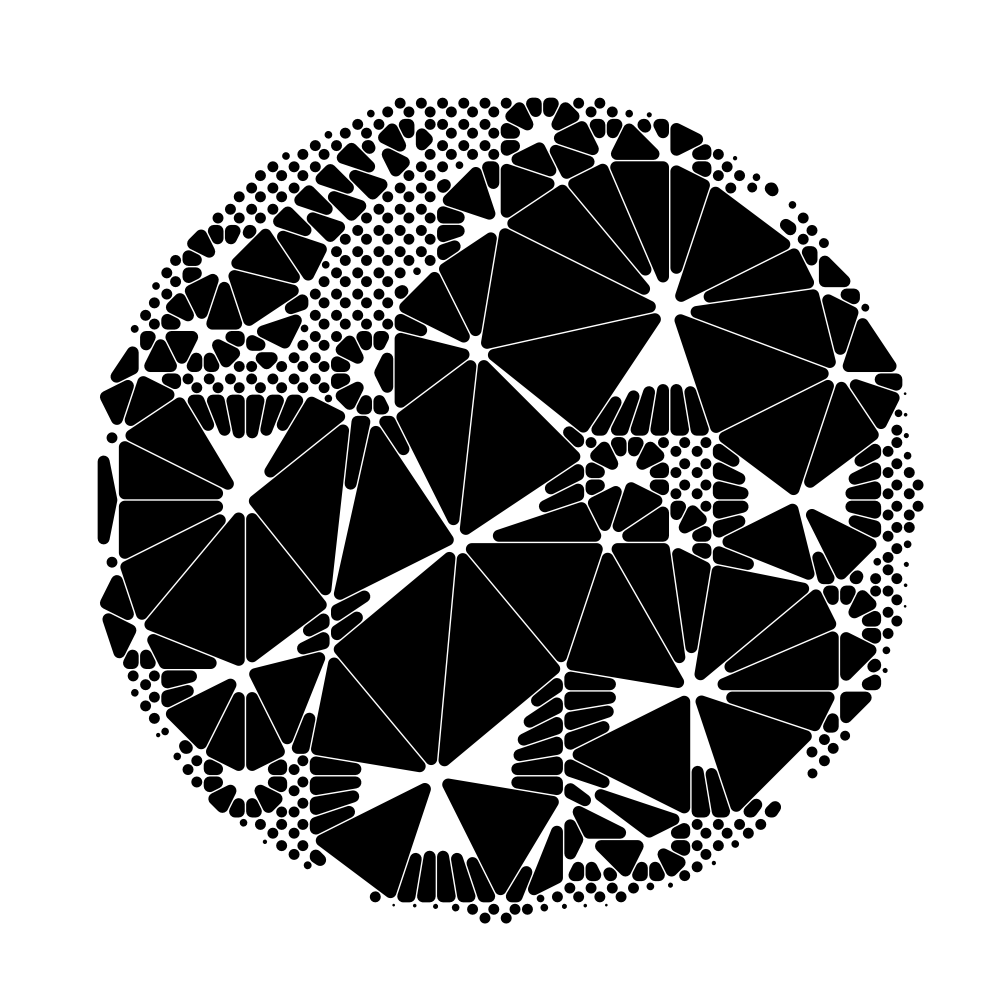
A new Delaunay style in the shape picker triangulates your dots into a faceted, low-poly halftone — dark areas fill with dense triangles while bright ones open into gaps, and each triangle is colored from your image. A Corner Rounding control softens the triangles toward circles, and Max Edge Length trims the oversized triangles that would otherwise span sparse areas.
📏 Size Offset for Uniform Dot Resizing
A new Size Offset control grows or shrinks every dot by a fixed amount on top of the existing size multipliers, letting you thicken or thin all shapes uniformly regardless of tone.
Improved
⚡ Region Merging Updates Live as You Drag
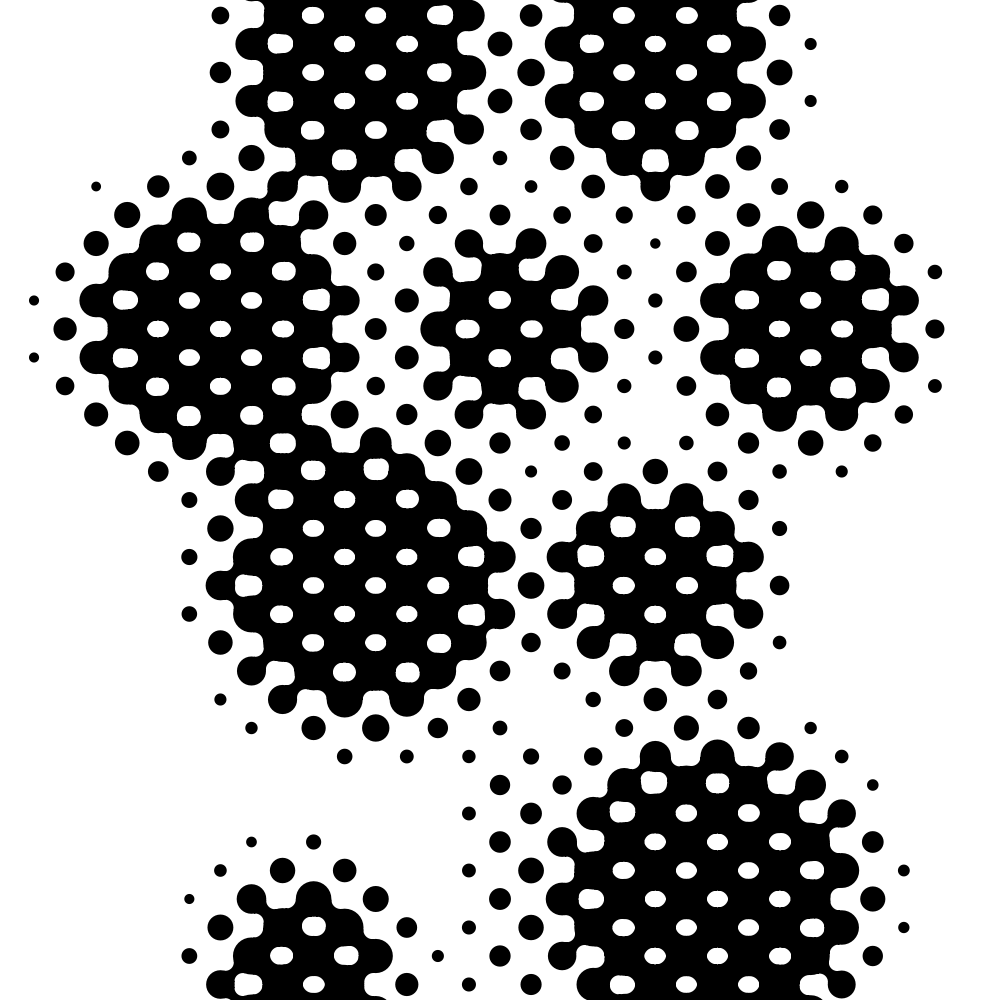
Region Merging now redraws in real time while you drag its settings, instead of showing unmerged dots and only catching up a moment after you stop. Large merge radiuses that used to take seconds now apply almost instantly.
July 25, 2026
Startup & Large-Image Fixes
Fixed
🛡️ No More Startup Crash When Browser Storage Is Blocked
Fixed a crash on first load for people whose browser blocks site storage (such as some in-app browsers or strict privacy settings); the app now falls back to its defaults instead of failing to open.
🗻 Very Large Images No Longer Fail to Process
Fixed an error that could stop very large image uploads (around a gigabyte or more) from being processed.
July 24, 2026
Upload More Image Formats & Artwork Card Polish
New
📤 Upload HEIC, AVIF, and More Formats
Uploads now accept any image your browser can open — including iPhone HEIC/HEIF photos, AVIF, and JPEG XL — instead of silently ignoring files whose format wasn't recognized. Works in the app, batch mode, and the background remover.
Improved
🖼️ Artwork Card Fits Longer Artist Profiles
The app's artwork info card now grows to show longer artist descriptions in full instead of clipping them, and long website links are shortened with an ellipsis so the link icon stays visible.
July 23, 2026
Older-Browser Startup Fix
Fixed
🩹 App No Longer Shows a Blank Screen on Older Browsers
Fixed a startup crash that left the app blank on older browsers such as Chrome before version 98 and Android 5, where a missing browser feature stopped the page from loading.
July 21, 2026
Real-Time Density Sizing & a Render Timing Overlay
New
⏱️ See Where Rendering Spends Its Time
A new Pipeline Timing overlay, toggled from the parameter panel, breaks down how long each stage of the render takes, so you can see what's slowing things down when tuning heavy settings.
Improved
⚡ Density Sizing Updates Live as You Drag
With Density Sizing on, adjusting tone and size controls like brightness, gamma, contrast, and scale factor now resizes dots in real time while you drag, instead of showing base-sized dots and only snapping to the density sizes a moment after you let go.
🫧 Blob Merging Now Scales with Dot Size
Blob connections are now driven by dot size and Merge Strength, so large dots merge across wider gaps while small dots stay separate — regardless of grid spacing. Merge Strength is also recalibrated to a geometrically consistent reference, so at full strength touching dots close up into a clean, even circular hole.
July 20, 2026
Stippling Points Can Follow Image Detail
New
🖋️ Place Stippling Points by Detail, Not Just Tone
Stippling's new Placement Basis control lets you switch from Tone to Detail so points cluster around edges and fine detail, with a Detail Range slider to tune how large an area each point considers.
Improved
🎨 Stippling Now Responds to Brightness, Contrast & Gamma
Tonal adjustments like brightness, gamma, contrast, normalization, and invert now shape where stippling places its points, so stippling matches the tone of the regular dot output.
🫧 Blobs Merge Correctly in Sparse Areas
Blob shapes now connect based on how far apart nearby dots actually are, so sparse regions — like areas thinned out by Density Sizing — merge as expected instead of leaving grown dots stranded.
🔍 Pixel Preview Now Matches the Export
Pixel-shape previews now render at the same supersample factor as the final export, so what you see while editing matches the downloaded result instead of looking rougher on screen.
✨ Tidier Controls Panel
A round of layout polish across the settings panels — related controls are grouped with dividers, options that don't apply to the current shape or grid are now hidden, and the artwork info card no longer overlaps the dot counter.
Fixed
🎚️ Mobile Slider Value Now Applies Correctly
Fixed an issue where a mobile slider's value was not reflected correctly.
July 19, 2026
Edit Every Parameter as JSON
New
🧩 Live Settings JSON Editor
A new "Edit as JSON" panel lets you view and edit every halftone parameter as live JSON. It mirrors your current settings in real time, validates your edits, and applies them back to the canvas — with copy, revert, and undo support.
Improved
🎛️ Irrelevant Controls Now Grey Out Consistently
Settings that have no effect under your current mode are now reliably disabled across every panel, so it's clearer at a glance which controls actually apply to what you're making.
Fixed
🔄 Panels Stay in Sync After Shape Swaps and Preset Loads
After swapping shapes from the toolbar — or loading a preset, undoing, or applying JSON — panel controls like the shape style selector could show a stale or blank value instead of your actual setting. They now update reliably to match.
July 18, 2026
New Languages & Page Translation Stability
New
🌎 Brazilian Portuguese Added, Portuguese Refined
Brazilian Portuguese (pt-BR) is now available as its own language, and the existing Portuguese option is now proper European Portuguese (Portugal).
🗣️ Suggestion to Switch to Your Preferred Language
When your browser's preferred language is supported but differs from what's shown, the app now offers to switch the interface to it, with an option to dismiss the prompt permanently.
Fixed
🌐 Browser Page Translation No Longer Breaks the App
Using your browser's built-in page translation (such as Google Translate) could crash the editor and leave a blank or broken screen. The app now keeps working when a translator rewrites the page.
July 17, 2026
Traditional Chinese & Accurate Dot Count
New
🌏 Traditional Chinese Now Available
Halftone Maker is now available in Traditional Chinese (zh-TW), joining the other supported languages.
Fixed
🔢 Dot Count Now Matches the Canvas
The rendered dot count could read higher than what actually appears — it counted dots that never got drawn and, in Blob mode, showed a stale number instead of the merged shapes. The count now reflects exactly what lands on the canvas.
July 16, 2026
Transparency Control, More Shape Access, and a Tidier Toolbar
Improved
🫥 Control Over Transparent Areas
A new "Discard transparent areas" toggle in the Sampling panel (shown in Advanced mode and above) lets you decide whether fully transparent regions of your image stay blank (the default) or get filled with the pattern — turn it off and lowering the Scale Factor will draw dots across the transparent areas too, instead of leaving them empty.
🔤 Character Shape in Advanced Mode
The Character dot shape is now selectable from Advanced mode, not just Expert, so you can build text-and-glyph patterns without switching to the most complex UI level.
🧰 Tidier Toolbar
When there are more grid and shape buttons than fit across the toolbar, the extras now tuck into a popover instead of forcing a horizontal scroll, so every option stays one click away.
Fixed
🖱️ Smoother File Drag-and-Drop
Dragging an image file onto the app used to stutter as the whole layout re-rendered; the drop area is now isolated, so dragging a file in stays smooth.
July 15, 2026
Blobs: Dots That Melt Together
New
🫧 Blob Dot Style
A new Blob style lets neighboring dots melt into smooth, gooey shapes joined by tapered necks — close dots merge fatly while distant ones pull apart and separate. Dial the look with Merge Strength, and rein in busy areas with Min Neck Width and a Max Necks limit.
Improved
⚡ Faster Line Shapes
Line-shape rendering now runs its heavy geometry math in WebAssembly, cutting render time roughly in half so line patterns update more smoothly as you adjust them.
Fixed
🔓 Pro Features No Longer Blocked by a Wrong Device Clock
If your device's clock was off by more than a few minutes, a valid Pro license could be rejected — silently disabling downloads, the higher resolution cap, batch, snapshots, and other Pro features. A freshly signed-in Pro license is now honored regardless of local clock skew.
July 13, 2026
Stippling, Now a Live Grid Type
New
👆 Touch Slider Mode on Desktop
A new toggle next to the UI-mode control switches the parameter sliders into touch-friendly mode, where you drag the thumb to adjust values — handy on touchscreen laptops or if you prefer thumb-dragging over clicking a track.
Improved
✏️ Stippling Is Now a Grid Type
Stippling moved out of its own panel and into the grid toolbar, so you pick it like any other grid and the stipple pattern updates live as you adjust its settings or swap the image — no more clicking Compute to generate it or Discard to clear it.
⚡ Faster Stippling
Stippling's point-scattering and relaxation now run in WebAssembly, so the pattern generates and updates noticeably faster while you tweak it.
Fixed
🧊 No More Freeze with Source Colors on Text & SVG Dots
Turning on "Use Source Colors" with text or custom-SVG dots could freeze the tab on dense renders — those dots now keep their per-dot colors at normal speed.
July 12, 2026
Density-Aware & Direction-Aware Dots
New
🔵 Density-Based Dot Sizing
Dots can now grow in sparse areas and shrink where they're crowded, adding depth and contrast a uniform grid can't. Pick a sharp per-dot Voronoi response or a smoother Local Density falloff with an adjustable radius, and dial in the strength.
🧭 Dots That Follow the Flow
With dot rotation linked to the grid, dots now orient along the direction their points move — following the swirl of a displacement warp or the flow of stippled points — so the pattern reads as connected strokes instead of independently spinning marks.
Improved
🔍 Higher-Resolution Output for Pro
Pro users can now set the base resolution up to 4000, double the previous 2000 ceiling, for sharper high-resolution renders and exports.
July 11, 2026
Reliable Image Loading on Mobile
Fixed
📱 Reliable Image Loading on Mobile
Fixed an issue on some phones where selecting a photo silently did nothing — and if an image still can't be loaded, an error message now appears instead of nothing happening.
🔄 No More "This page couldn't load" After a Release
To avoid the occasional "This page couldn't load" error after a new version ships, the app now shows an update notification prompting you to reload to the latest version, warning that reloading will discard your current work.
July 10, 2026
SVG Sources Load Again & Smoother Character Editing
Fixed
🖼️ SVG Source Images Load Again
Uploading an SVG as your source image works again after it had stopped loading. SVG sources are now rasterized crisply at your output resolution, so vector artwork stays sharp.
🔤 Smoother Character Editing Without Slowdowns
Rapidly changing the Character style's text, font, or weight no longer piles up memory until the tab freezes. Edits are batched cleanly, so you can tweak character settings freely without the app bogging down.
Building on the faster pixel core, the entire rendering engine now runs in a background worker. Dot, line, shape, and SVG renders — plus preset thumbnails and batch ZIP exports — no longer block the interface, so the app stays responsive while it works and thumbnails and exports generate in parallel with your live preview.
✨ Flicker-Free Shape & Line Previews
Shape and line previews now update as a single, complete frame instead of clearing and redrawing, so heavy scenes no longer flash blank while you drag a slider. A slim progress bar along the top of the canvas shows how far a render has to go.
🔤 Character Controls Moved Into Dot Settings
The Character style's text, font, and weight controls now live directly in the Dot panel when the Character style is selected, with its guidance tucked into an on-demand info tip — no separate panel to hunt for.
Fixed
🖼️ Accurate Preset Thumbnails
Preset thumbnails now render from a clean baseline, so each preview reflects its own settings instead of picking up leftovers from the previously rendered preset. A new regenerate button on the presets list lets you refresh any thumbnails cached before the fix.
🎯 Shape Previews React Instantly to Setting Changes
Adjusting a parameter while a shape preview is still rendering now interrupts the in-progress frame and jumps straight to your new settings, instead of finishing the stale render first. Shape mode now keeps up with your changes just like the line and pixel modes.
July 8, 2026
Faster Pixel Renderer & Alpha Mask Support
Improved
⚡ Faster, Smoother Metaball Rendering
The Pixel Renderer's Metaball engine now runs off the main thread on a rebuilt, much faster rendering core. Pixel-mode previews come up noticeably quicker, tiles fill in progressively, and the interface stays responsive while a render is in progress.
Fixed
🎭 Alpha Mask Now Applies in Pixel Mode
The Alpha Mask now works with the Pixel Renderer, so transparent areas of a background-removed image stay clear in Metaball output just like they already did in the dot, line, and SVG modes. Previously the mask had no effect in pixel mode.
July 6, 2026
Fill-the-Frame Fit Mode & Swatch Harmony Controls
New
🖼️ Fill-the-Frame Fit Mode
A new Fit to Short Edge mode scales your image so its shorter side fills the frame, cropping the overflow for edge-to-edge coverage — and it's now the default. The previous fit-inside behavior is still available as Fit to Long Edge, alongside Fit to Width and Fit to Height.
🎚️ Contrast Strength Slider
A new Contrast slider in the Swatches panel lets you soften or strengthen every duo-color pair at once, shifting the whole palette from low to high contrast while keeping each scheme's balance intact.
🎨 Clash & Tonal Harmony Schemes
Two more schemes join the Swatches panel. Clash pairs your base color with vivid right-angle hues for bold, energetic combinations, while Tonal stays on the same hue and contrasts a vivid ink against a muted one.
Improved
👁️ Previews That Show Ink Direction
Swatch previews now mirror the real result — a square in the background color with a centered dot in the foreground color — so you can see exactly how each pair will be applied before you pick it.
July 5, 2026
Color Harmony Swatches
New
🎨 Color-Theory Palettes in the Swatches Panel
The Swatches panel now builds two-tone combinations from color theory instead of random guesses. Pick a base color (or keep your current foreground) and choose from Monochromatic, Neutral, Complementary, Analogous, Triadic, and Split Complementary schemes. Palettes are computed in the perceptually-uniform OKLCH color space, so hues stay balanced and contrast steps look evenly spaced to the eye — giving you harmonious duo-color pairs at a glance.
Improved
🎯 Quicker Base Color Picking
Jump straight to a starting color for your harmony palettes: the Swatches panel now shows your current foreground and background colors, plus the base colors you recently used, as one-click chips. The panel also reopens with the last base color you picked.
July 4, 2026
Dithering on Line Grids
New
🎛️ Dithering Now Works on Line Grids
Error-diffusion dithers (Floyd–Steinberg, Atkinson, Jarvis–Judice–Ninke, Stucki) and the Bayer ordered patterns can now be applied to the Line grid, not just Square and Hex. Bring textured, retro dithering to line-based halftones for a whole new set of looks.